Historical Summary vs. Activity Stream vs. Audit Log vs. Timeline Dashlet
Overview
Users can track changes made to records in Sugar via the audit log, historical summary, Timeline dashlet, and activity stream. Each of these tracking methods serves a similar but unique purpose within your instance. The audit log displays a timeline of changes made to fields on a record. The historical summary shows activities like calls and meetings that are related to a record. The record's activity stream shows changes, linked records, and user comments. The Timeline dashlet provides a chronological record of the target record and up to ten select relationships. This article provides a high-level overview of the four tracking methods and the use cases for each.
Features and Restrictions
The following table provides a high-level comparison of the four tracking features, including their functionality, primary use cases, and key benefits.
| Feature | Displays | Best For | Key Benefits |
| Audit Log | Detailed record of audited field changes for a record. | Tracking data changes for a record. | Accountability |
| Historical Summary | Overview of related activities (e.g., calls, meetings, emails). | Quick view of all historical interactions for a record. | Information |
| Activity Stream | Interactive list of field changes, linked records, and user comments/posts. | Quick visibility into record updates and user conversations. | Collaboration |
| Timeline dashlet | Chronological overview of the record, its relationships, and select field changes. | Quick insight into a record's related activities, system-generated events, and user interactions. | Chronological information |
Audit Log
The audit log tracks changes to fields that are marked as "Audit" via Admin > Studio and provides a detailed history of each change, including the old and new values, who made the changes, and the source of the change (e.g., Sugar user, Web to Lead). For more information on designating fields for audit, refer to the Adding Fields to a Module's Audit Log article.
Use the audit log when you need a detailed, accountable record of field changes over the course of a record's history and/or troubleshoot field-level changes.
To access the audit log, simply navigate to a record's record view and select "View Audit Log" from the Actions menu. For complete details on the audit logs in Sugar, refer to the User Interface documentation in the Application Guide.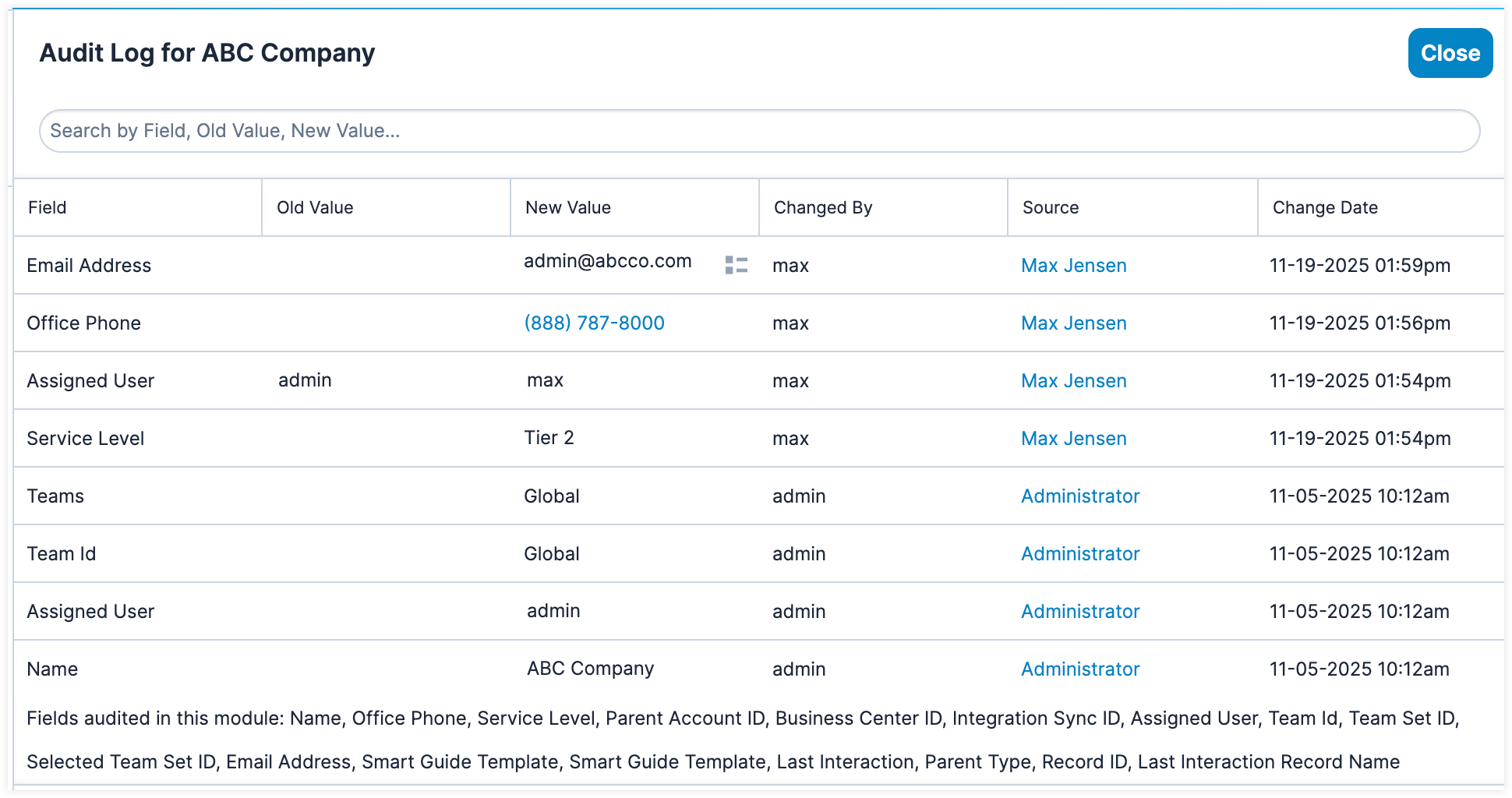
Historical Summary
The historical summary displays a list of activities related to the record you are viewing, including calls, meetings, emails, tasks, and notes. Activities are grouped by module with the most recent activities on top. The Historical Summary option is available in the following modules:
- Accounts
- Contacts
- Leads
- Opportunities
- Cases
The historical summary is most useful when you want to quickly scan a record's communications history, such as when preparing for customer outreach or reviewing past interactions.
To access a record's historical summary, simply select "Historical Summary" from the Actions menu. For complete details on the historical summary in Sugar, refer to the User Interface documentation in the Application Guide.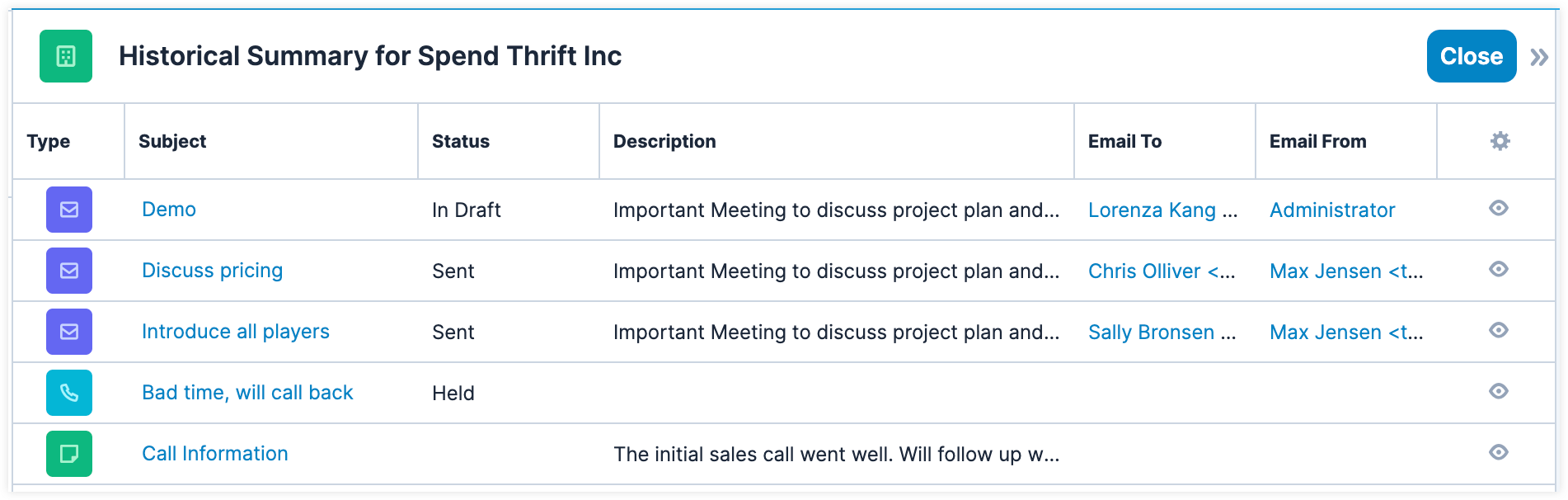
Activity Stream
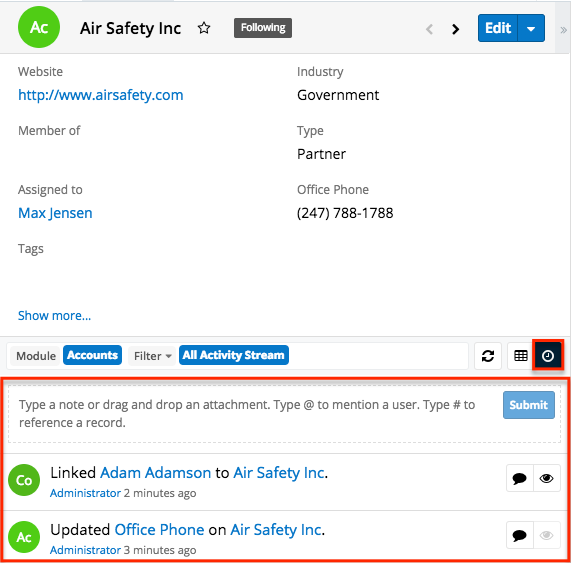
The activity stream shows a list of activities performed on records, user posts, comments, and linked record changes for records that you follow in Sugar. Users can post comments within the activity stream as well as mention specific users or reference other records. Users can also add external links or attachments to the activity stream.
Note: If you cannot access activity streams in Sugar, the feature may be disabled via Admin > System Settings. For more information, refer to the System documentation in the Administration Guide.
The record view's activity stream offers some of the same benefits as the record's audit log and historical summary, but it has additional features that focus on collaboration and team communication. So, this feature is ideal for users who want to stay informed and contribute to record discussions in real time as well as track updates across records.
There are various options available for viewing activity streams in Sugar including via the home page, dashlet, list view, record view, and intelligence pane. For example, to access the activity stream in the record view, click the Activity Stream button below the record's fields. For complete details on activity streams in Sugar, refer to the Activity Streams documentation in the Application Guide.
Timeline Dashlet
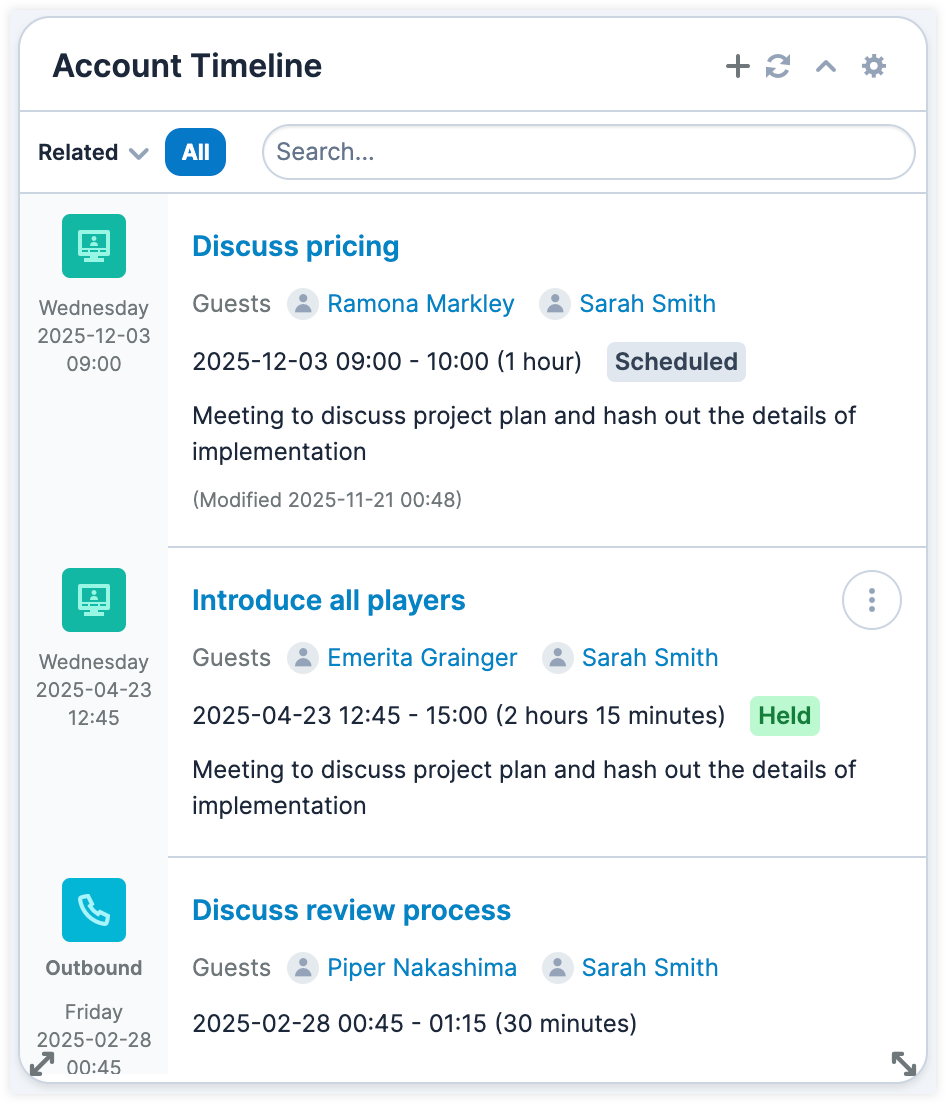
The Timeline dashlet provides a visual, chronological view of a record's recent related activities and select field changes (e.g., Assigned To field updates) in the form of record cards. By default, the Timeline dashlet displays the first set of twenty record cards and you can click "Show more..." to load the next set of cards. The dashlet appears in the record view of several modules in Sugar, including custom modules, the Sales Console, and the Service Console.
The benefit of the Timeline dashlet is viewing the record and its relationships in chronological order. For example, when viewing an opportunity you can see when the last meeting was, or when the last email was sent. Having this full view can allow you to make an informed decision on the next best step forward. Additionally, from the Timeline dashlet, you may use focus drawers to view the record view of related records to get a full 360-degree view of the record.
For complete details on the Timeline dashlet, refer to the Sugar Dashlets documentation in the Application Guide. For information on how administrators can configure the Timeline dashlet, refer to the Studio documentation in the Administration Guide.